Perception Grid
Perception Grid is a 3D asset management platform redesigned for intuitive navigation, efficient search, and enhanced collaboration, making complex workflows simpler and more user-friendly.
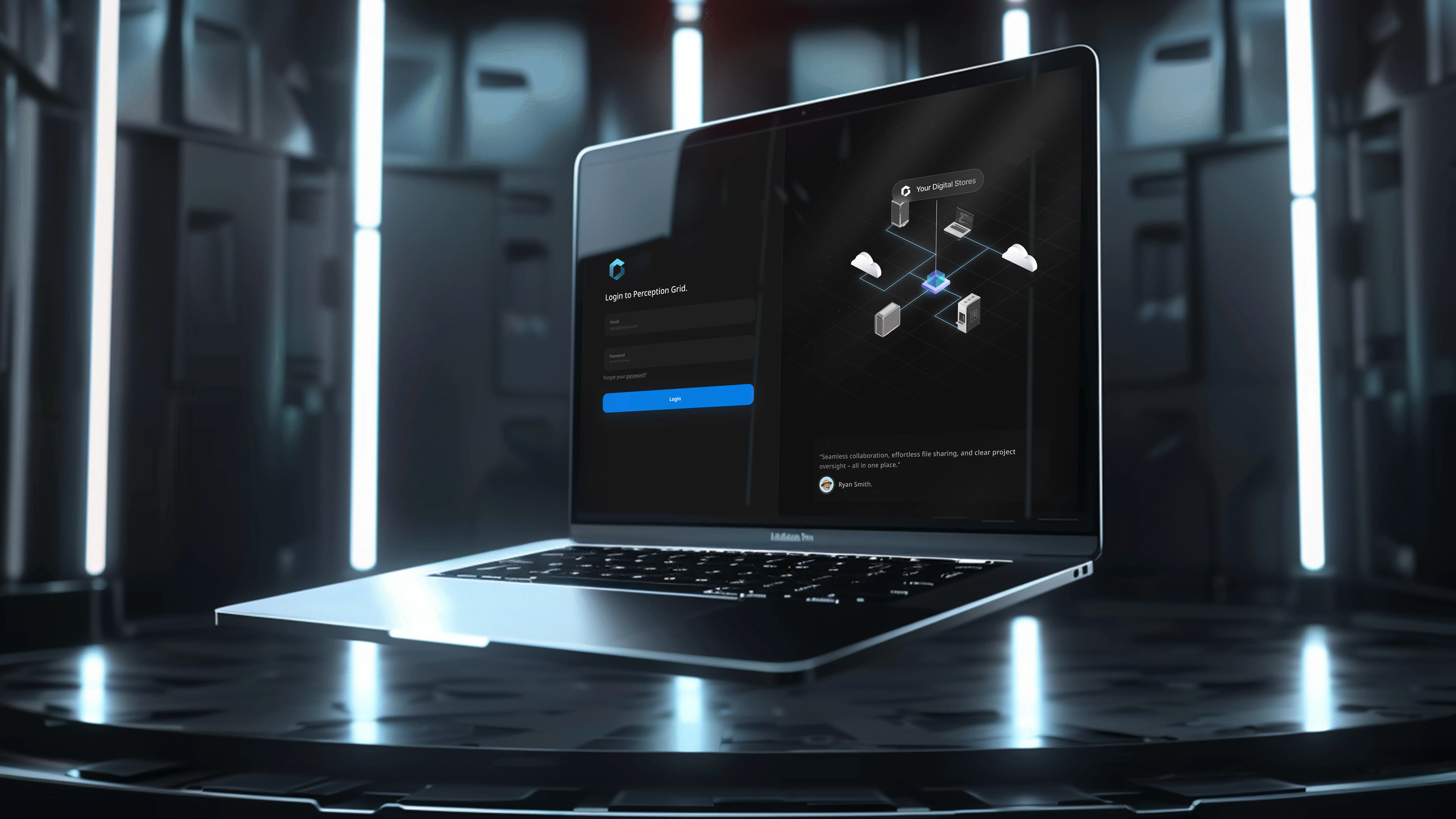
About Perception Grid
Perception Grid is an asset management platform designed to unify the creative process, making it easier for everyone involved in a project to collaborate. It provides a centralized space where designers, 3D artists, creative directors, marketing teams, developers, and others can plan, review, and access the latest version of assets without the hassle of searching through multiple folders and databases. Powered by AI, users can effortlessly search within a unified platform and leverage semantic search to locate assets more easily and efficiently.
My process for Perception Grid
Workflow Audit
Understanding how creative teams currently search, review and version assets across scattered folders and tools.
Information Architecture
Structuring a single, centralized library where every role can find the latest version of an asset.
AI-Powered Search
Designing intuitive semantic search so users can locate assets effortlessly within one unified platform.
Collaborative UI
Crafting shared spaces for designers, 3D artists, directors and developers to plan and review together.
“Really exceptional work! I’m not sure how this abstract idea transformed into something so amazing, it truly came to life, and I’m in love with the result.” — Mario Kenyon
1. Project Overview
Perception Grid is a 3D asset management platform that aims to streamline digital asset discovery, organization, and collaboration. Our goal was to enhance the platform’s usability by focusing on user pain points and addressing them through a refined, user-centered interface.
2. Project Goals
- Usability Optimization: Conduct a full platform audit to identify critical areas for improvement in navigation, search functionality, and feature discoverability.
- User-Centered Design: Engage with real users to align the platform’s interface with the needs of diverse roles across industries.
- Improved Collaboration and Search: Design seamless workflows and a unified search system with advanced filtering and tagging capabilities.
- AI-Driven Assistance: Make the AI assistant a more visible, integral part of users’ workflows to support complex asset management.
3. Audit and Research Phase
We initiated the project with a comprehensive platform audit to understand existing issues and opportunities.
Heuristic Evaluation
This assessment highlighted key usability issues, particularly in navigation and accessibility, guiding our approach to refining the UI.

Benchmarking and Desktop Research
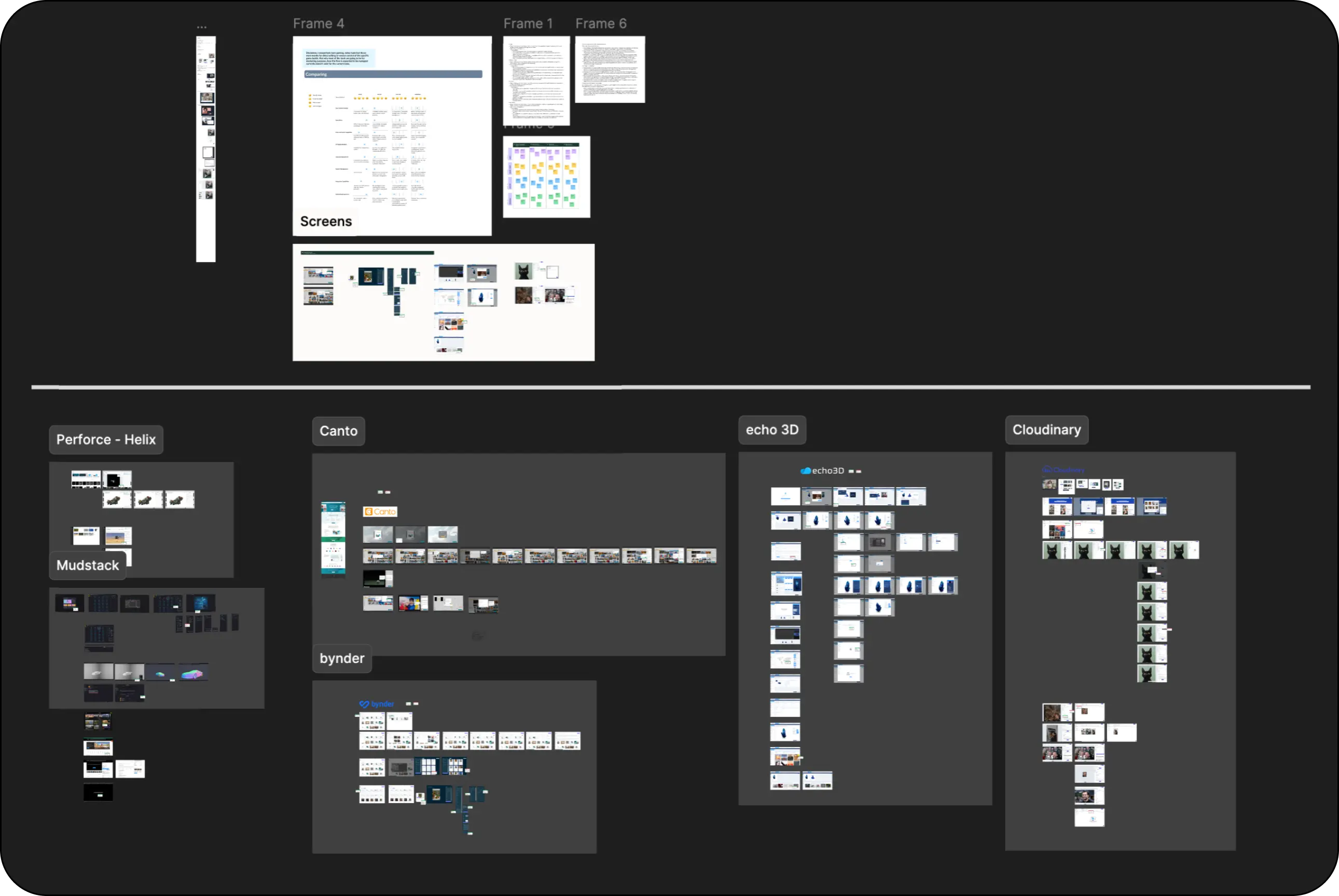
Competitor analysis helped us understand the strengths and gaps in industry-standard asset management solutions. We analyzed apps such as Perforce, Mudstack, Unreal Marketplace, AssetStore, Canto, Bynder, Echo3D, and Cloudinary — taking screenshots and marking positive and negative aspects to build user personas and solution hypotheses.
4. Wireframing and User Testing
Low-Fidelity Wireframes
Using insights from the audit, we designed low-fidelity wireframes to prototype potential layouts and workflows.

User Interviews
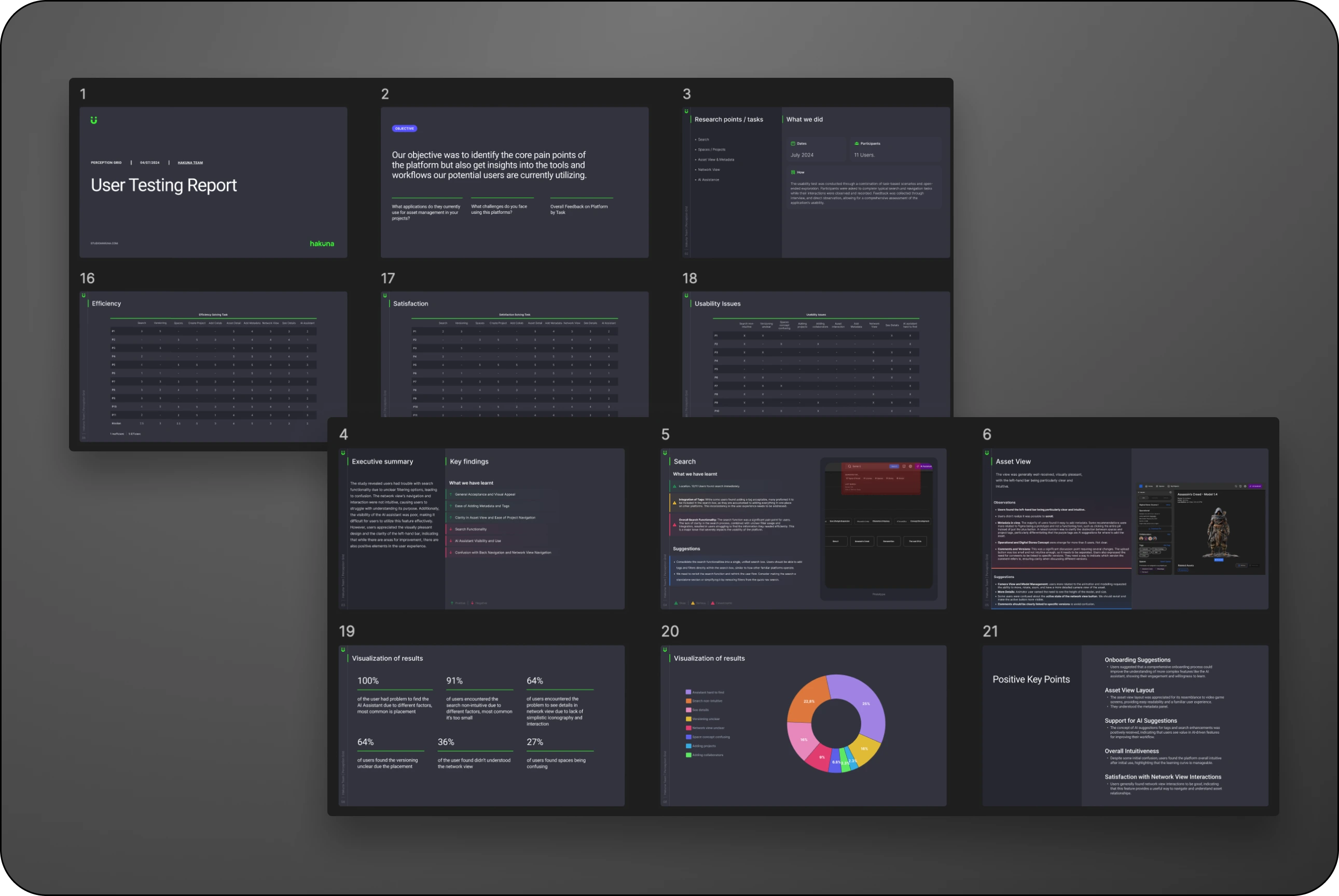
To validate our approach, we conducted interviews with diverse users representing our target demographics — architects, digital designers, marketers, product managers, animators, and immersive directors.

Interview Participants and Key Insights:
- Architect & Digital Designer — Requested flexible asset filters to support iteration tracking in 3D models.
- Marketing Agency Executive — Emphasized the need for a quick, intuitive search function to reduce time spent locating assets.
- Animation Directors — Highlighted the necessity of robust collaboration tools and annotation capabilities for creative pipelines.
- Senior Product Manager — Stressed the importance of a scalable system with customizable metadata.
- Immersive Director & Virtual Filmmaker — Advocated for AI-driven metadata and asset categorization to handle multimedia files efficiently.
5. Design Solutions and Key Features
1. Unified Search Bar — Integrated tags and filters within a single search box to provide an intuitive and focused search experience.
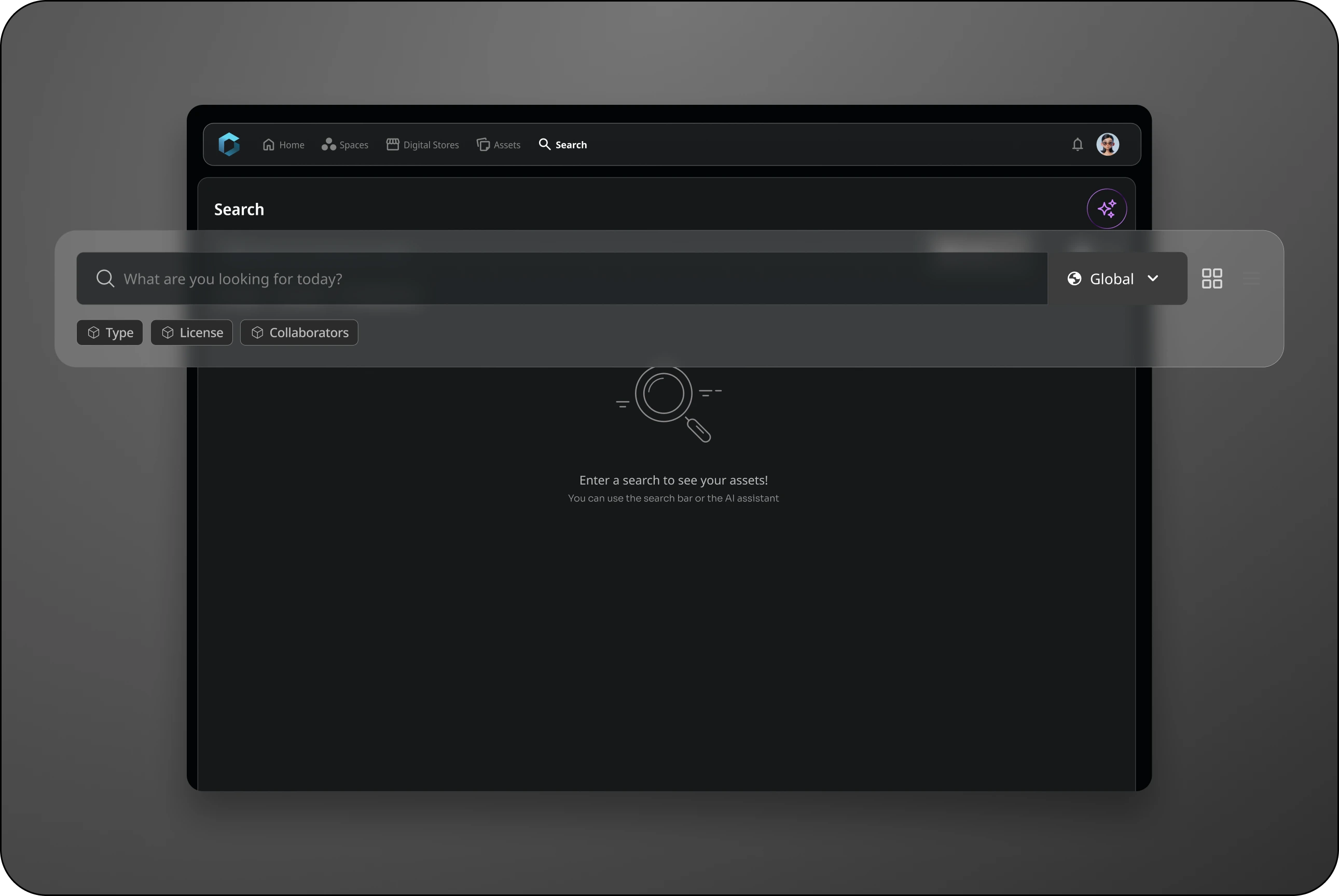
2. Enhanced AI Assistant — Repositioned the AI assistant for visibility, integrating it directly into user workflows to add value through task support.
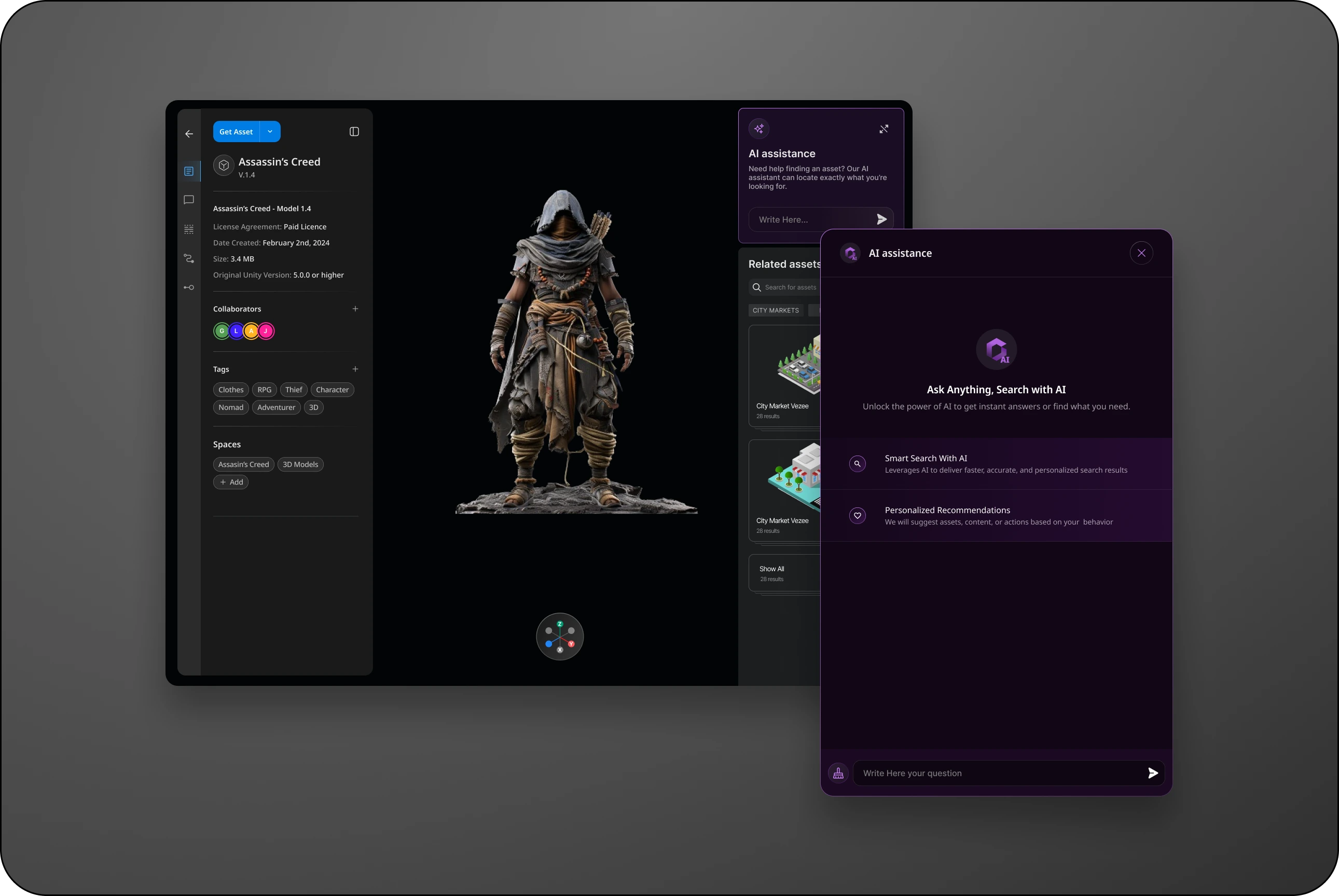
3. Network View Improvements — Added icons and interaction cues to guide users in exploring network branches and assets.
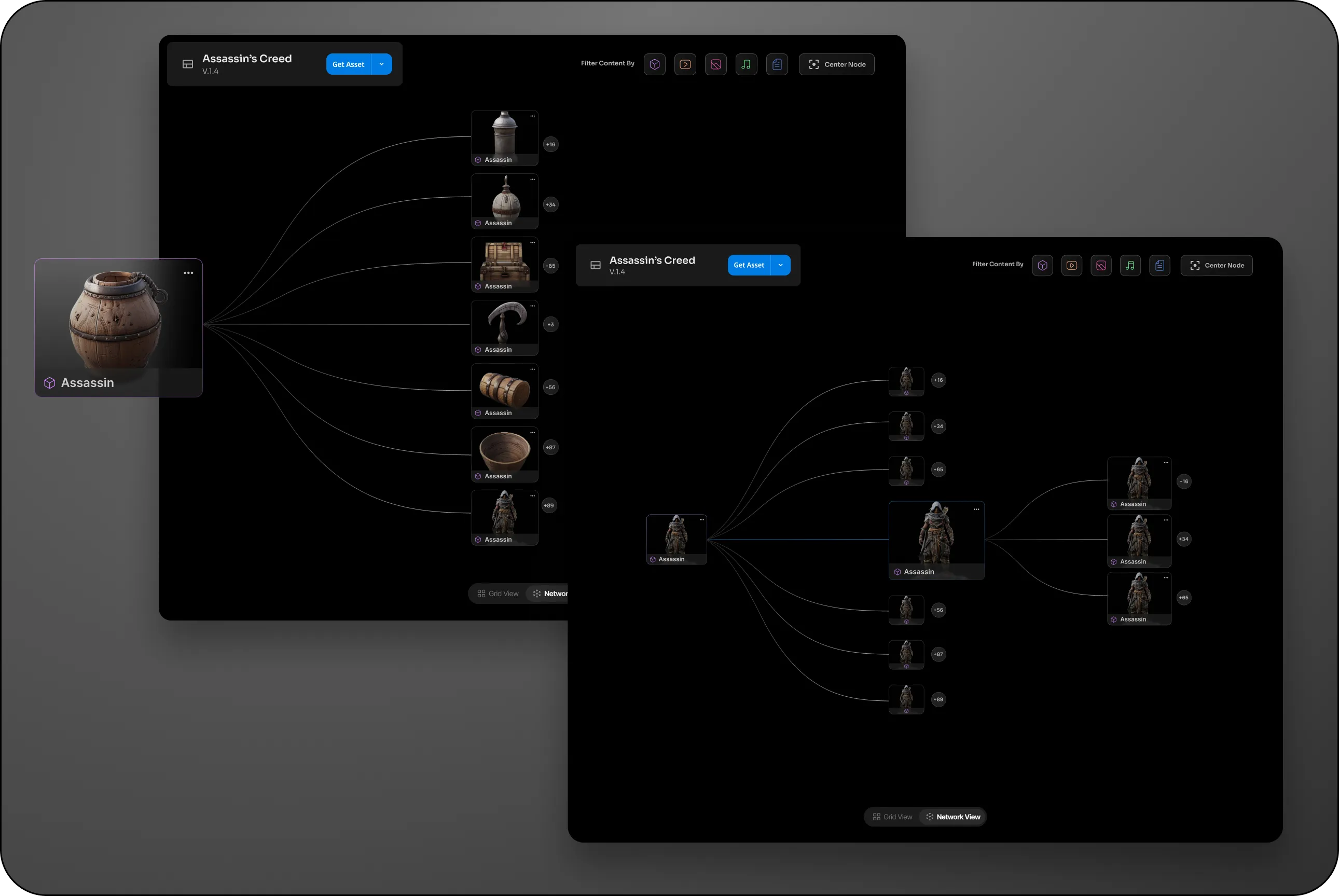
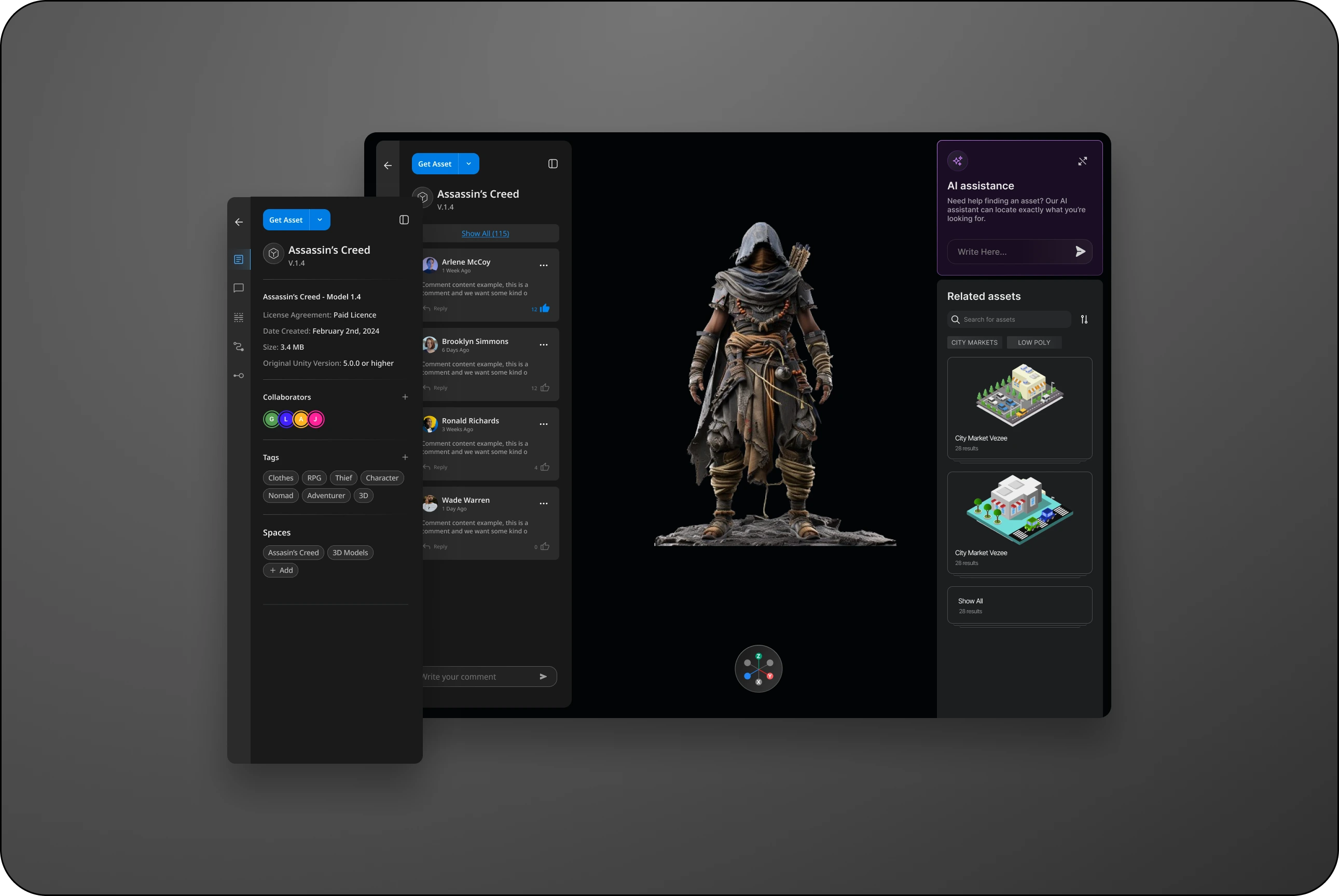
4. Detailed Asset Interaction Options — Included functionalities for rotating, zooming, and detailed camera views, addressing animator and modeler feedback.
5. Comment Versioning — Linked comments to specific asset versions to streamline discussions and maintain context.
6. Reflections and Future Directions
Our work on Perception Grid underscored the value of iterative, user-centered design in creating a complex tool that meets diverse needs. This project highlighted the importance of integrating feedback from varied users to build a flexible, scalable solution. For future iterations, we’re exploring machine learning to enhance search recommendations and further streamline user workflows.
Like what you see? Let's talk.
Got a project in mind, or just want to say hi? My inbox is always open.
Say hello →